Skip to content
prompset

Naive risograph poster of a lounging character
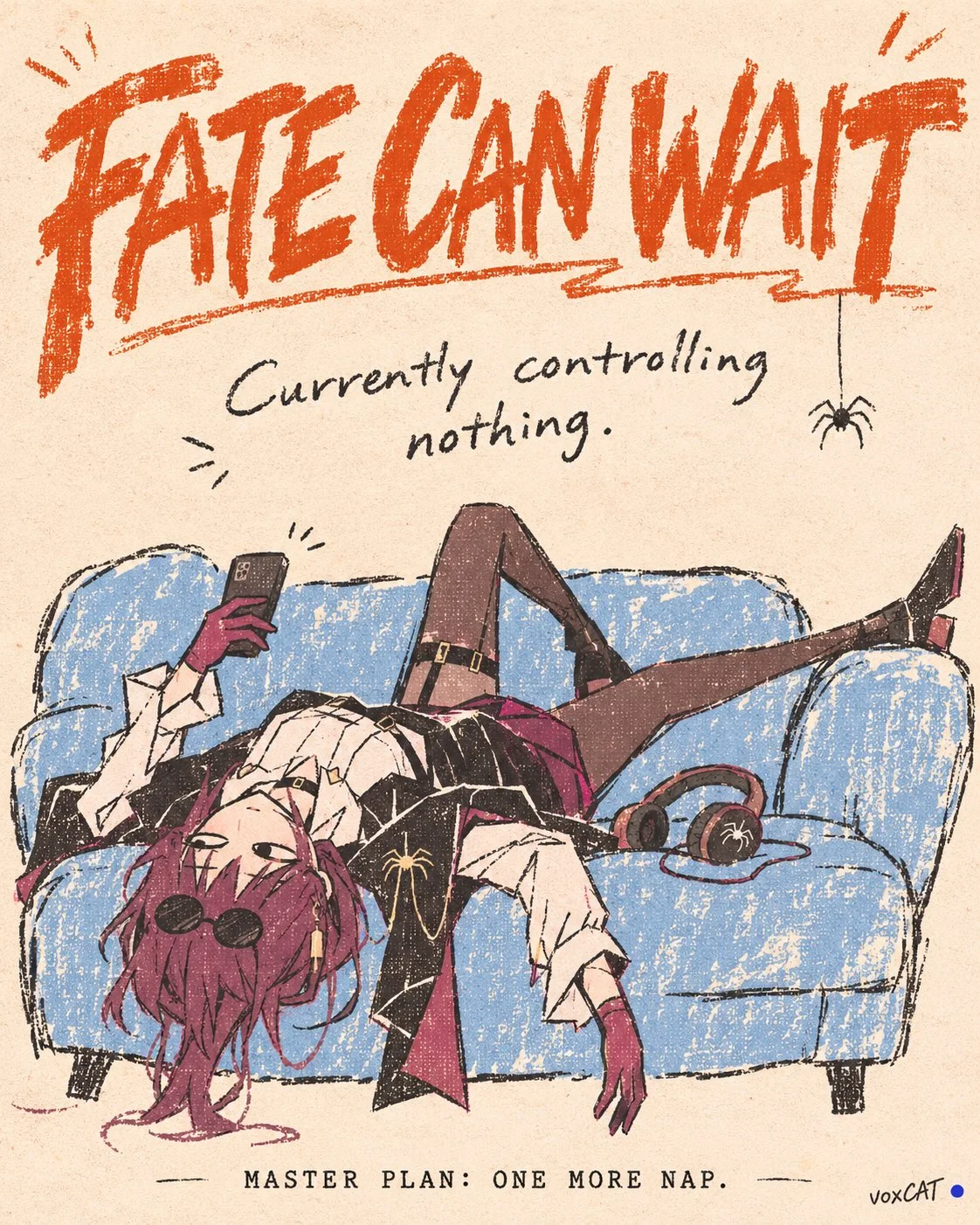
Naive risograph poster of a lounging character
0
views
0
copies
Download
JPG · 1122 × 1402
Likes
0
Views
0
Copies
0
Saved
0
Download
JPG · 1122 × 1402

Prompt

Model
GPT Image 2
Mode
Text to image
Resolution
1122 × 1402
Aspect
4:5

Naive hand-drawn independent illustration, minimalist cartoon figure, exaggerated and loose body proportions, long thin irregular limbs, simplified facial features, sketchy gestural pose. Black marker hand-drawn outline, uneven line weight, slight wobble, repeated strokes and partially broken lines. Large incomplete flat fills, coarse risograph print grain, random paper showing through, dry-brush scraping texture, natural hand-painted colour block edges. 4:5 vertical independent magazine poster, warm off-white paper background, centred in the image a rough light-blue block-painted sofa, the character lounging lazily on the sofa with limbs naturally stretched out. Only a few everyday small objects placed around it, outlines casual and simplified. At the top, an oversized brick-orange freely hand-lettered English title; in the centre, interspersed black handwritten-style English short sentences; at the bottom, small retro sans-serif caption text, content light-hearted and humorously self-deprecating. Colour scheme of warm off-white, pale sky blue, brick orange and ink black, with a few accent dots of the character's signature colour. Flat, loose perspective, low-fidelity independent publication and retro risograph print aesthetic.

About this prompt

A hand-drawn poster of a cartoon character sprawled on a blue sofa with a phone, under a bold orange title and a deadpan caption. The prompt suits independent magazine posters, risograph-style zines and lighthearted illustrated merchandise.

Prompt breakdown

Made by AI · Click a part to highlight it in the prompt

Made by AI · Click a part to highlight it in the prompt

How to use this prompt

Three steps from this page to your own image.

  1. 01

    Copy the prompt

    Copy the text as it is, every detail and any text on the image included.

  2. 02

    Match the settings

    Open GPT Image 2 on a platform that offers it and use the same settings: text to image, 1122 × 1402, 4:5.

  3. 03

    Make it yours

    Change the subject or the style, or let Studio adapt it for you.