Skip to content
prompset

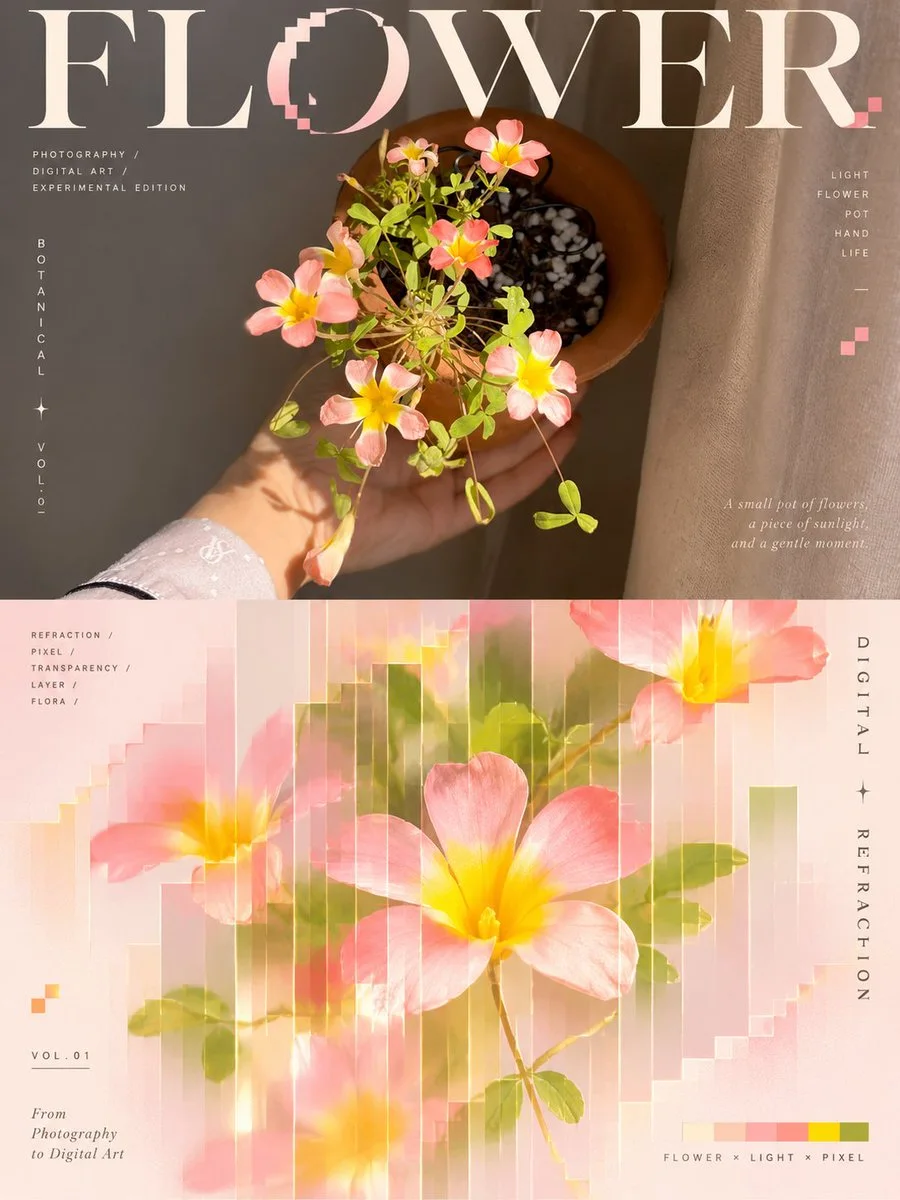
Double-panel flower poster with digital refraction
Double-panel flower poster with digital refraction
0
views
0
copies
Download
JPG · 900 × 1200
Likes
0
Views
0
Copies
0
Saved
0
Download
JPG · 900 × 1200

Prompt

Model
GPT Image 2
Mode
Image edit
Inputs
1 image
Resolution
900 × 1200
Aspect
3:4

Turn the photo into a 3:4 vertical double-panel poster, with the top and bottom halves stacked: the top half keeps the realistic look of a photograph, and the bottom half uses a light background to present digital refraction art. Extract the core subject from the photo and translate it into vertical semi-transparent grids, using staggered long and short lines, stepped pixel edges, and layered color overlaps to create a focal point where the real and the virtual blend. Based on the original photo's colors, establish a main color gradient, adjacent-color transitions, and local contrasting color accents, keeping a sense of transparent light. The subject is enlarged and centered, with local parts overflowing and cropped. Across the top runs an oversized, high-contrast serif English title with embedded pixelated letterforms. Surrounding it are small sans-serif text and vertical text along the sides, forming an experimental editorial design that blends retro elegance with digital avant-garde. The entire canvas is strictly divided along the horizontal midline into two independent panels of equal width and height, each occupying 50% of the total canvas height. The top-to-bottom height ratio is fixed at 1:1. This ratio is an immutable hard composition constraint that takes priority over any requirements for subject scale, text and image layout, or artistic expression.

About this prompt

A vertical poster split into a photograph of a flower pot on top and a pixelated, semi-transparent flower illustration below, with editorial typography. The prompt suits editorial poster and cover designs that blend photography with digital effects.

Prompt breakdown

Made by AI · Click a part to highlight it in the prompt

Made by AI · Click a part to highlight it in the prompt

How to use this prompt

Three steps from this page to your own image.

  1. 01

    Copy the prompt

    Copy the text as it is, every detail and any text on the image included.

  2. 02

    Match the settings

    Open GPT Image 2 on a platform that offers it and use the same settings: image edit, 1 image, 900 × 1200, 3:4.

  3. 03

    Make it yours

    Change the subject or the style, or let Studio adapt it for you.