Skip to content
prompset

Versus character board with height comparison
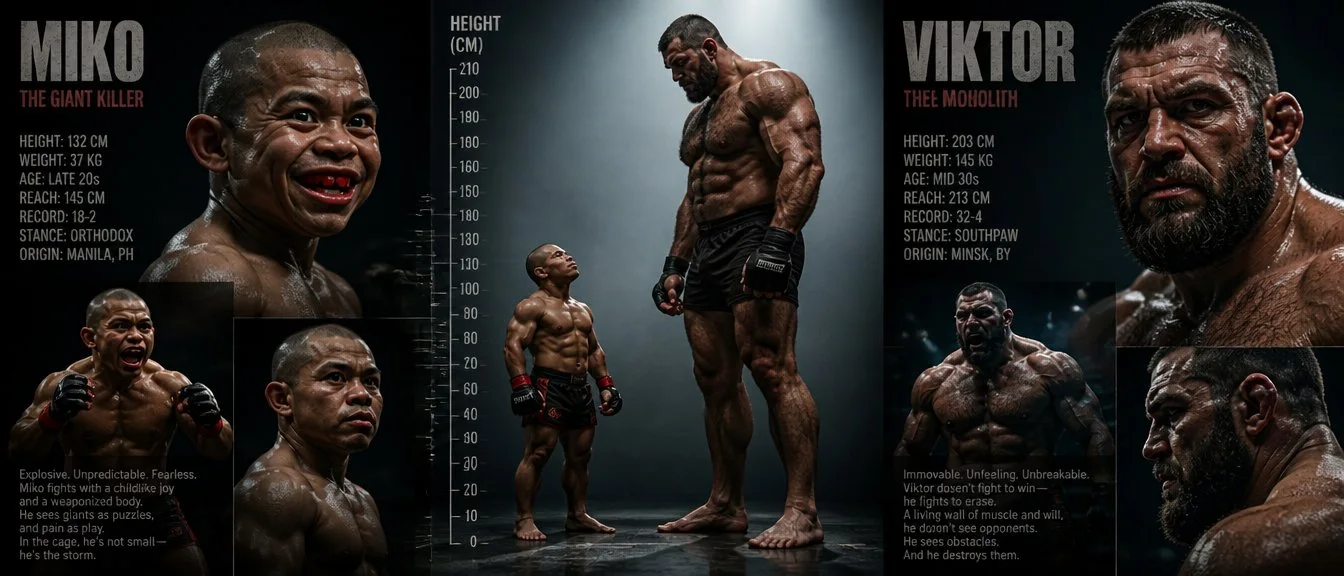
Versus character board with height comparison
0
views
0
copies
Download
JPG · 1344 × 576
Likes
0
Views
0
Copies
0
Saved
0
Download
JPG · 1344 × 576

Prompt

Model
GPT Image 2
Mode
Text to image
Resolution
1344 × 576
Aspect
21:9

Cinematic realistic character design board for a high-budget film production. Art-directed, slightly asymmetrical, premium movie pitch presentation, not a generic grid. Two realistic human characters on a versus board with grounded proportions, believable anatomy, natural imperfections, expressive acting energy. Left half: MIKO — late 20s shaved head fighter, warm tan skin with visible pores and faint mat burns, wide expressive brown eyes, heavy mobile eyebrows, gap-toothed grin, deeply animated face, compact dense muscle on a 132 cm frame with dwarfism proportions — broad chest, powerful short limbs, thick forearms. Wearing black MMA fight shorts with red side trim, red hand wraps under black 4oz open-finger MMA gloves, bare feet, red mouthguard visible in grin. Right half: VIKTOR — mid 30s, 203 cm, massive heavyweight slab physique with vein detail and sweat-ready skin texture, short dark cropped hair, short dense dark beard, granite jawline, flat dead grey stare, micro-scar through right eyebrow, cauliflower left ear, rigid brutal masculine face. Center: dramatic side-by-side height comparison panel where both stand together against one shared height scale ruler in centimeters.

About this prompt

The image is a film-style character board with two contrasting fighters, one very short and one very tall, on a split layout with a central height scale. It suits pitch decks, character presentations or concept art for a fight film.

Prompt breakdown

AI breakdownClick a part to highlight it in the prompt

Click a part to highlight it in the prompt

How to use this prompt

Three steps from this page to your own image.

  1. 01

    Copy the prompt

    Copy the text as it is, every detail and any text on the image included.

  2. 02

    Match the settings

    Open GPT Image 2 on a platform that offers it and use the same settings: text to image, 1344 × 576, 21:9.

  3. 03

    Make it yours

    Change the subject or the style, or let Studio adapt it for you.