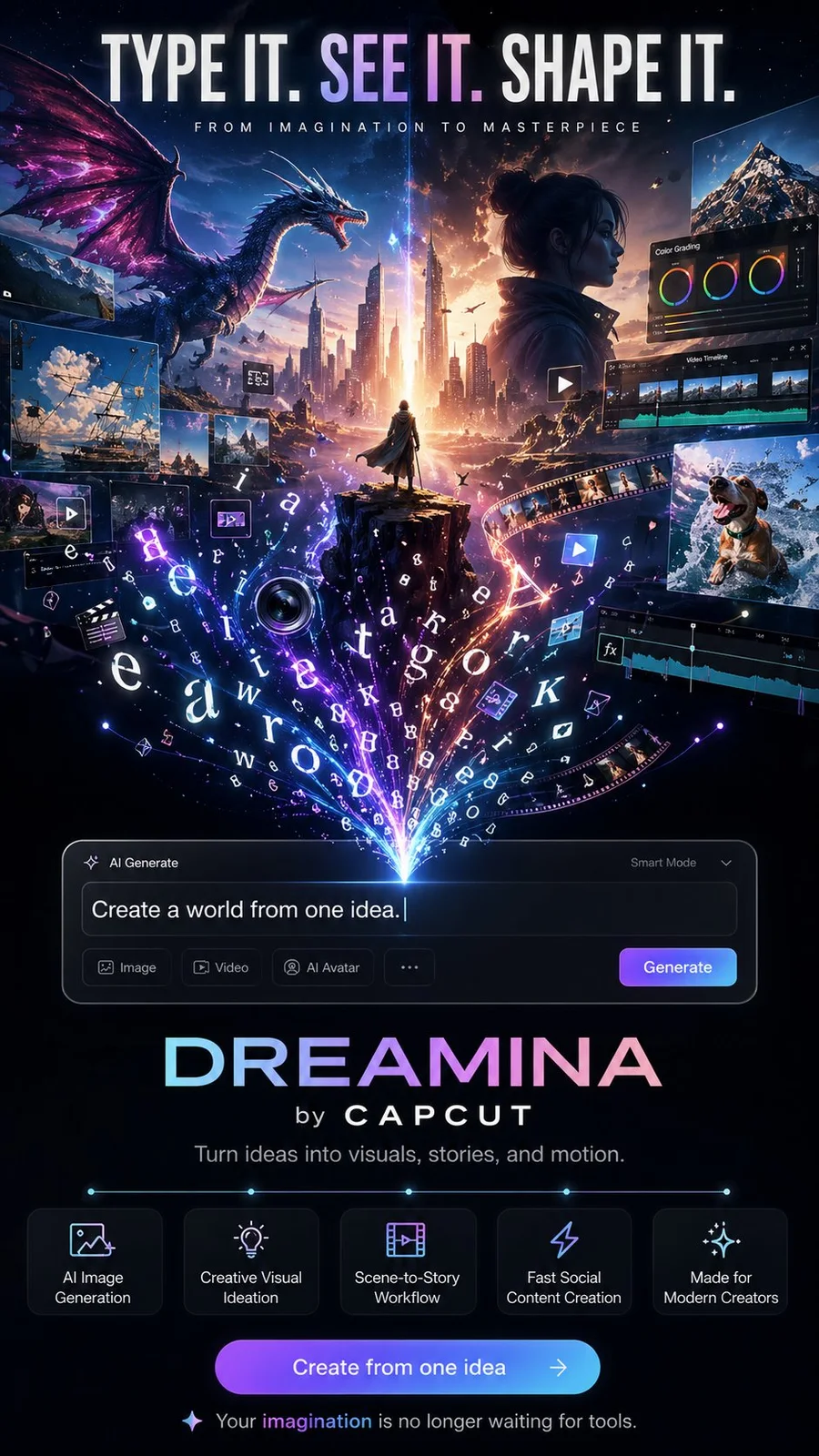
Create an award-winning 9:16 vertical advertising poster for DREAMINA by CAPCUT. The poster must feel like a next-generation AI creative tool campaign: bold, magical, modern, cinematic, and visually genius. This is not a normal software ad. It must show the transformation from a simple idea into a complete visual universe. Creative concept: A blank text prompt line appears at the bottom of the poster, like a simple input field. From that single typed sentence, an entire cinematic world erupts upward through the poster. Letters from the prompt detach, stretch, transform, and become real visual objects: one letter turns into a camera lens, another becomes a dragon wing, another becomes city lights, another becomes a character silhouette, another becomes a video timeline, another becomes glowing particles. The idea is that Dreamina by CapCut turns text into imagination, and imagination into production-ready visuals. The mind-bending twist: The poster should be split between two realities. At the bottom: simple text input, clean UI, minimal interface. At the top: a fully realized cinematic fantasy scene being born from the words. The transition must be seamless, as if the sentence itself is generating the world in real time. The viewer should feel like they are watching creativity become visible. Main visual: A sleek creative interface inspired by an AI generation workspace, shown in a premium abstract way. The prompt field contains: "Create a world from one idea." From this prompt, a dramatic vertical explosion of visuals rises: cinematic frames, color grading panels, AI-generated characters, floating thumbnails, video timeline strips, glowing scene layers, camera movement arrows, and surreal visual fragments. Include subtle CapCut-style editing elements such as timeline blocks, cut marks, keyframes, and motion paths, but make them feel elegant and futuristic. Background: Dark-to-light gradient creative studio environment. Bottom area clean and minimal like software UI. Upper area rich, cinematic, colorful, and imaginative. The design should feel like a bridge between interface and imagination. Color palette: CapCut black and white, Dreamina-inspired creative purple, electric cyan, neon pink, soft blue, luminous white, cinematic gold accents. Typography: Render all text cleanly and sharply. Main headline: "TYPE IT. SEE IT. SHAPE IT." Product title: "DREAMINA by CAPCUT" Subheadline: "Turn ideas into visuals, stories, and motion." Feature callouts: "AI Image Generation", "Creative Visual Ideation", "Scene-to-Story Workflow", "Fast Social Content Creation", "Made for Modern Creators" CTA: "Create from one idea" Footer line: "Your imagination is no longer waiting for tools." Layout: The bottom third should show the clean prompt input and subtle editing interface. The middle should show the transformation zone where letters become visuals. The upper two-thirds should explode into a cinematic generated world. The headline should sit near the top, integrated into the visual energy but still readable. Product name should sit near the center or lower-middle in a refined software campaign layout. Style: Hyper-realistic futuristic software advertising, AI creativity campaign, cinematic motion design poster, interface-meets-imagination concept, high-end digital art direction, surreal but readable, premium modern typography, ultra-detailed, visually explosive, no generic app poster look.