Skip to content
prompset
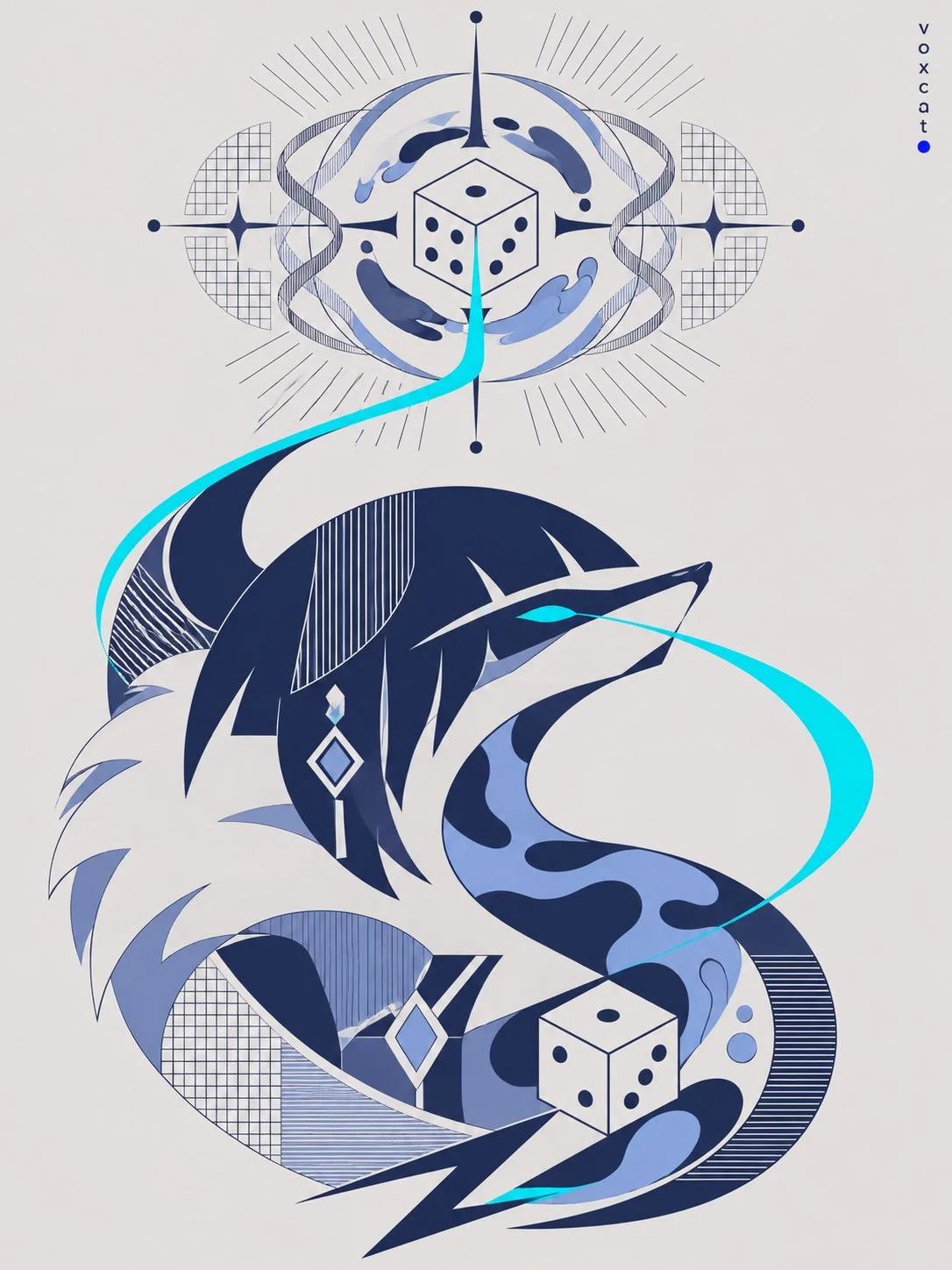
Geometric serpent totem with dice motifs
0
views
0
copies
Download
JPG · 1086 × 1448
Likes
0
Views
0
Copies
0
Saved
0
Download
JPG · 1086 × 1448

Prompt

Model
GPT Image 2
Mode
Text to image
Resolution
1086 × 1448
Aspect
3:4

Break the character's silhouette and ability symbols down into geometric shapes, then link them with a single flowing line into a symbiotic totem. 【Character】, retain the signature silhouette, hairstyle and crown ornament, representative colours and identity symbols, and translate them into a Japanese modernist geometric abstract totem of a biological form. Spot-colour silkscreen print on matte specialty paper, with a four-colour system designed from the character's representative colours: low-saturation pure-colour paper base, high-contrast primary and secondary colour blocks, and a touch of high-purity accent colour. Colour blocks are flat-filled with sharp edges, combined with extremely fine uniform lines, parallel hatching and precise grids. 3:4 vertical format with blank margins on all sides. The main figure and the floating accompanying totem form an S-shaped symbiotic closed loop: the character's silhouette, hairstyle and crown ornament, and clothing structure are abstracted into arcs, geometric cut planes and lightning-like zigzag lines, with the interior filled with the character's exclusive organic patterns; weapons, summons or ability symbols evolve into symmetrical radiating figures and double helix lines. A fluid accent-colour band extends from the main figure's core, looping back and connecting upward to the accompanying totem. Clean layout, and a small lapis lazuli blue dot at the end.

About this prompt

The image shows a geometric, abstract serpent-like totem in navy and cyan with dice and radiating star motifs on a pale background. The prompt is a reusable template for stylized character totems in a modernist silkscreen look.

Prompt breakdown

Made by AI · Click a part to highlight it in the prompt

Made by AI · Click a part to highlight it in the prompt

How to use this prompt

Three steps from this page to your own image.

  1. 01

    Copy the prompt

    Copy the text as it is, every detail and any text on the image included.

  2. 02

    Match the settings

    Open GPT Image 2 on a platform that offers it and use the same settings: text to image, 1086 × 1448, 3:4.

  3. 03

    Make it yours

    Change the subject or the style, or let Studio adapt it for you.