Skip to content
prompset

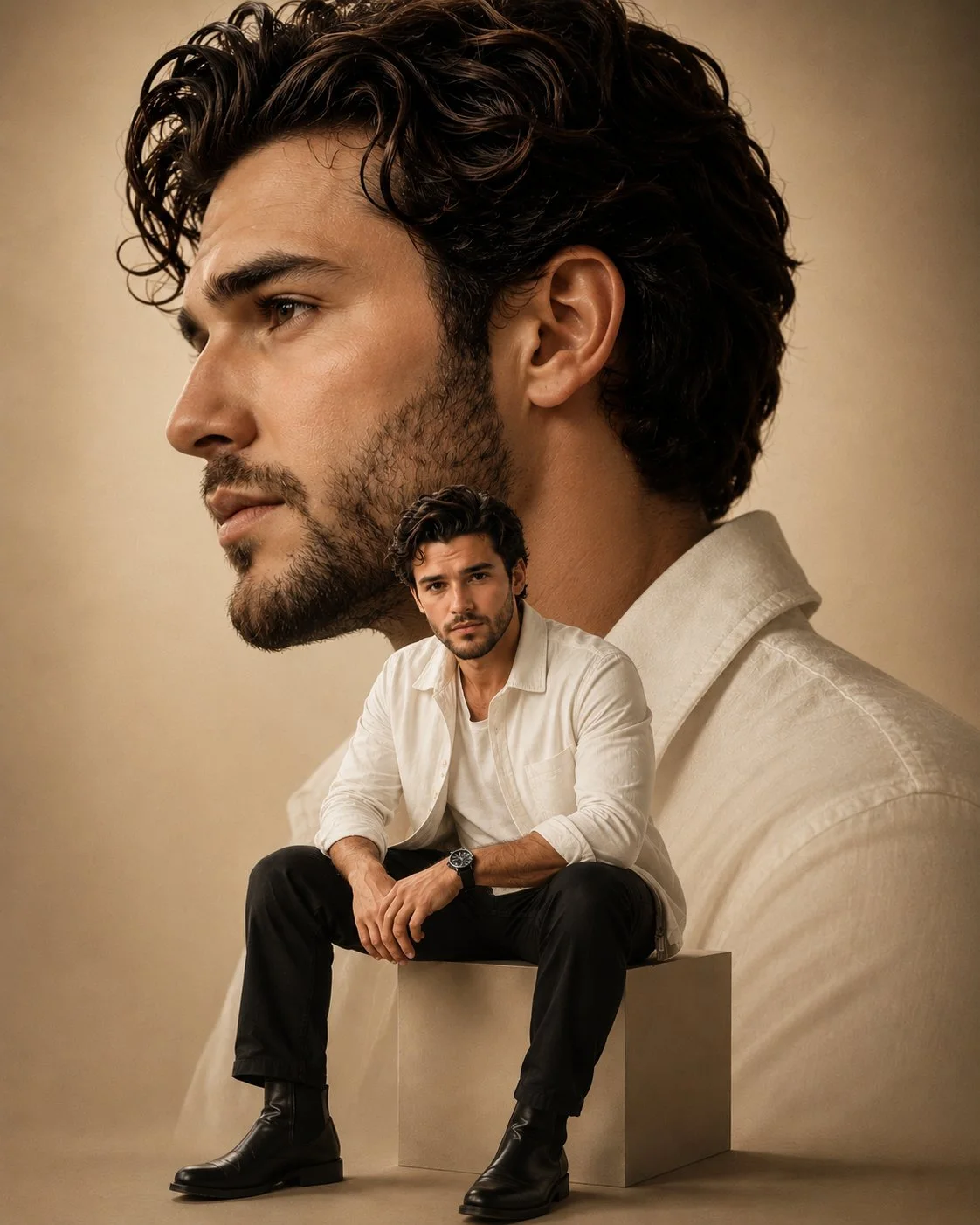
Double-exposure studio portrait of a man on a cube
Double-exposure studio portrait of a man on a cube
0
views
0
copies
Download
JPG · 1122 × 1402
Likes
0
Views
0
Copies
0
Saved
0
Download
JPG · 1122 × 1402

Prompt

Model
GPT Image 2
Mode
Text to image
Resolution
1122 × 1402
Aspect
4:5

Create a premium cinematic poster-style portrait in a minimalist warm beige studio environment (4:5 vertical aspect ratio). The composition features a double-exposure editorial layout with a massive side-profile portrait occupying approximately 70–75% of the frame, facing left with a calm, confident expression. The background portrait is razor-sharp, emphasizing natural skin texture, defined jawline, detailed beard, and voluminous wavy hair, softly blending into the seamless studio backdrop. In the foreground, place the same person seated naturally on a matte beige cube, positioned near the lower center of the frame. He looks directly into the camera with a relaxed yet confident expression. He wears an open white linen overshirt, a white crew-neck T-shirt, tailored black trousers, black Chelsea boots, and a minimal black wristwatch. His posture is casual, with elbows resting on his knees and hands loosely clasped. Use soft diffused key lighting with subtle rim lighting to create depth and gentle shadows. Keep the color palette warm and monochromatic with beige, ivory, cream, black, and soft brown tones. Maintain clean negative space, luxury fashion editorial aesthetics, premium magazine cover styling, and flawless photorealistic skin textures

About this prompt

The image shows one adult man appearing twice, as a large side-profile head behind a seated figure in a white linen shirt and black trousers. The prompt suits premium editorial or magazine-cover portraits and fashion styling.

Prompt breakdown

AI breakdownClick a part to highlight it in the prompt

Click a part to highlight it in the prompt

How to use this prompt

Three steps from this page to your own image.

  1. 01

    Copy the prompt

    Copy the text as it is, every detail and any text on the image included.

  2. 02

    Match the settings

    Open GPT Image 2 on a platform that offers it and use the same settings: text to image, 1122 × 1402, 4:5.

  3. 03

    Make it yours

    Change the subject or the style, or let Studio adapt it for you.