Skip to content
prompset

Rooftop sunset group of celebrities
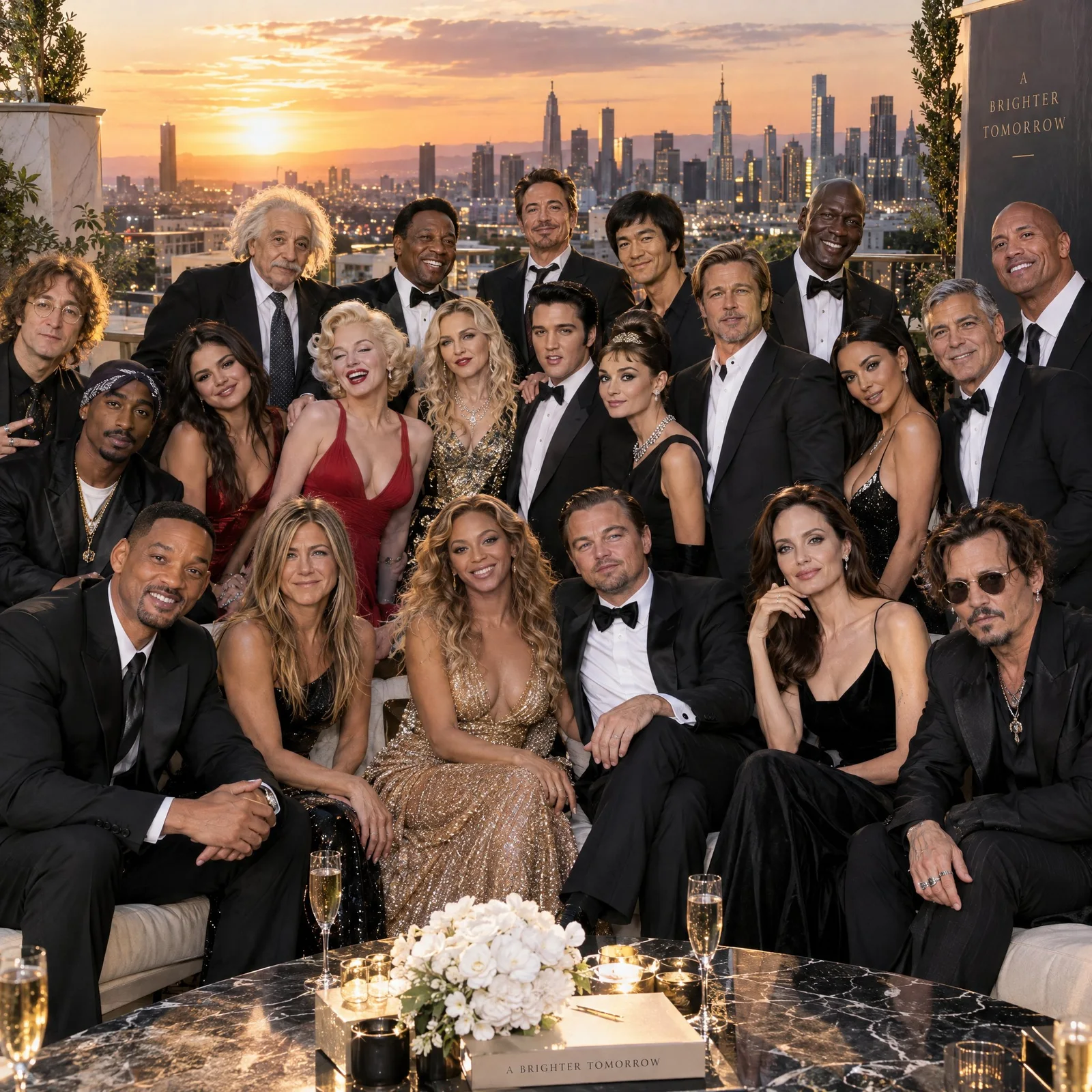
Rooftop sunset group of celebrities
0
views
0
copies
Download
JPG · 2048 × 2048
Likes
0
Views
0
Copies
0
Saved
0
Download
JPG · 2048 × 2048

Prompt

Model
GPT Image 2
Mode
Text to image
Resolution
2048 × 2048
Aspect
1:1

Create a hyperrealistic, ultra-sharp, full-color image in large format showing a huge group of celebrities from different eras, standing together in a single wide, cinematically staged scene. The image should look like a perfectly photographed editorial cover – with flawless lighting, lifelike skin textures and the finest details of hair, pores, reflections and fabric fibres. GENERAL STYLE & MOOD: Photorealistic, 8K, shallow depth of field, soft natural fill light combined with strong golden rim light. High dynamic range and precisely balanced color grading. Natural-looking and accurate skin tones. Crisply sharp fabric details, where even individual fibres are visible. Balanced, centrally aligned image composition with a slightly wide-angle 35 mm lens. All celebrities interact naturally with one another, smiling, posing or chatting. The background remains visually calm and free of unnecessary distractions, yet offers enough detail to make the surroundings feel authentic and realistic. THE SETTING: A luxurious open-air rooftop terrace at sunset with a view of the skyline of a modern metropolis. Elements: Warm, golden light framing the silhouettes of the people. Polished marble surfaces.

About this prompt

The image shows a large group of adult figures who look like well-known celebrities, posed in evening wear on a sunset rooftop with a city skyline. The prompt suits group portrait or editorial cover concepts with a glamorous, cinematic mood.

Prompt breakdown

AI breakdownClick a part to highlight it in the prompt

Click a part to highlight it in the prompt

How to use this prompt

Three steps from this page to your own image.

  1. 01

    Copy the prompt

    Copy the text as it is, every detail and any text on the image included.

  2. 02

    Match the settings

    Open GPT Image 2 on a platform that offers it and use the same settings: text to image, 2048 × 2048, 1:1.

  3. 03

    Make it yours

    Change the subject or the style, or let Studio adapt it for you.