Skip to content
prompset

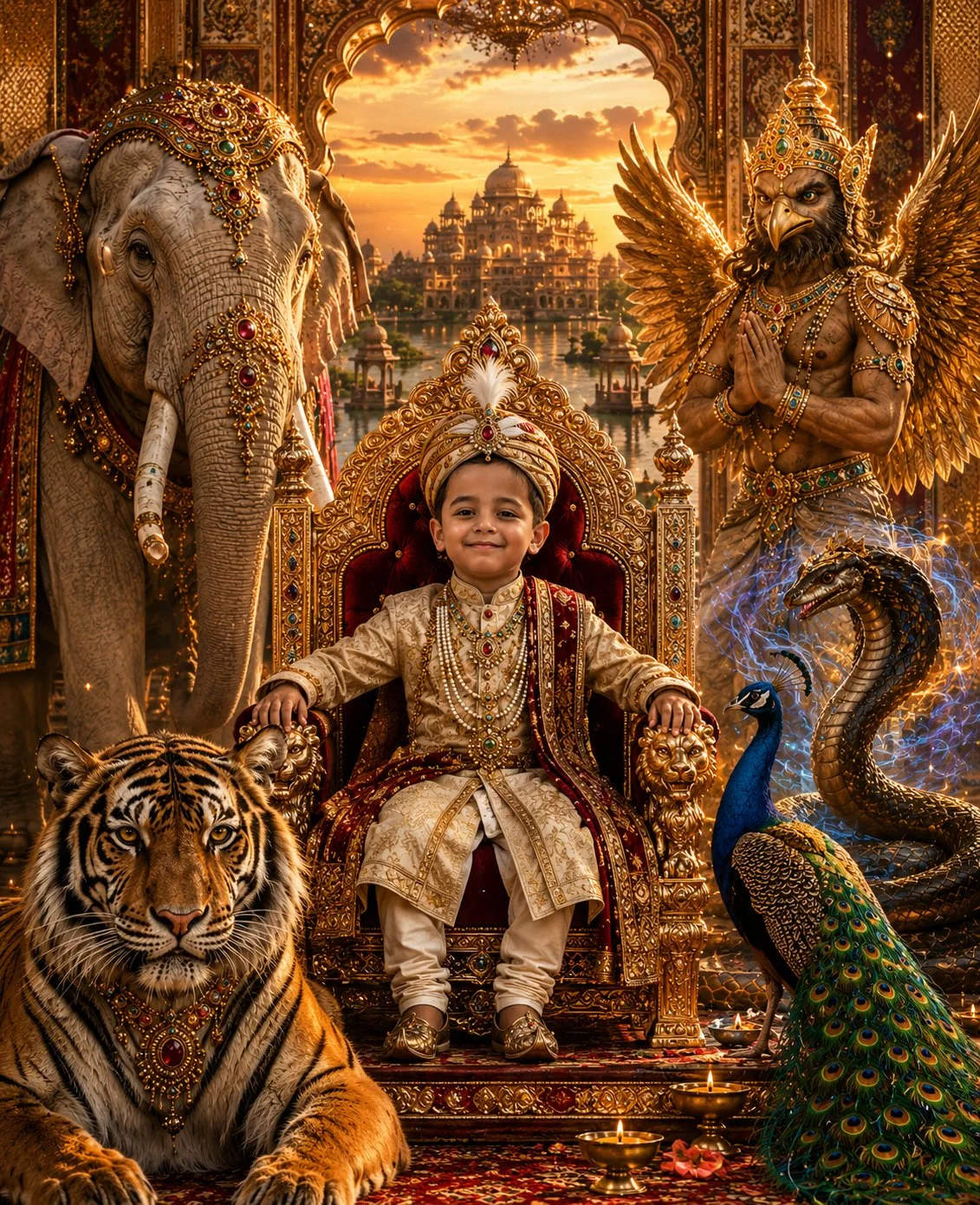
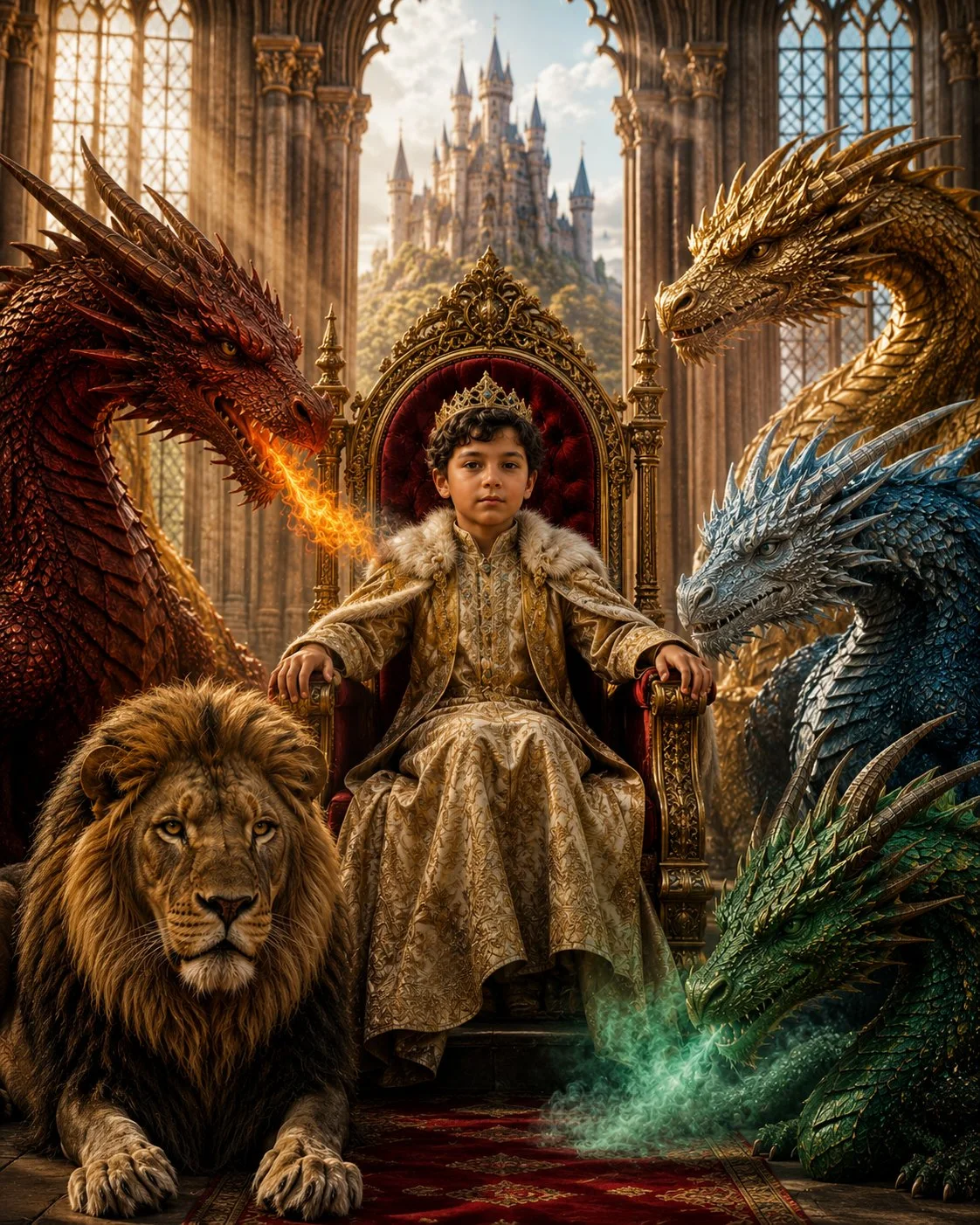
Child prince on throne guarded by dragons
Child prince on throne guarded by dragons
0
views
0
copies
Download
JPG · 1122 × 1402
Likes
0
Views
0
Copies
0
Saved
0
Download
JPG · 1122 × 1402

Prompt

Model
GPT Image 2
Mode
Text to image
Resolution
1122 × 1402
Aspect
4:5

A photorealistic cinematic editorial portrait of a young child prince sitting calmly on an ornate red and gold throne inside a majestic Gothic castle chamber. The child looks regal, innocent, and confident, wearing a detailed golden royal robe and a small jeweled crown. Surrounding the throne are calm protective mythical guardians arranged in a balanced composition: a majestic male lion lying in the foreground, a fiery red dragon on the left releasing a small gentle puff of orange fire, a golden-scaled dragon and frosty blue dragon on the right, and a vibrant green dragon curled near the bottom right releasing soft blue-green magical smoke. All creatures look powerful but loyal, protective, and non-threatening. Large tall lattice windows frame the background, with dramatic soft golden sun rays illuminating floating dust particles. Through the central open archway, a distant medieval castle stands on a green hill under a bright fantasy sky. Ultra-realistic DSLR photography look, natural child facial expression, realistic skin texture, detailed dragon scales, lion fur, royal fabric embroidery, balanced lighting, cinematic depth of field, rich warm color grading, majestic but peaceful atmosphere, 8k, highly detailed. Negative prompt: scary child, aggressive animals attacking, horror mood, distorted face, extra limbs, messy composition, creatures blocking the child, cartoon, anime, plastic CGI, blurry, watermark, text, logo.

About this prompt

A photorealistic editorial portrait of a child prince on a throne, surrounded by a lion and four dragons in a Gothic castle hall. The prompt suits fantasy portrait or cinematic key art concepts.

Prompt breakdown

AI breakdownClick a part to highlight it in the prompt

Click a part to highlight it in the prompt

How to use this prompt

Three steps from this page to your own image.

  1. 01

    Copy the prompt

    Copy the text as it is, every detail and any text on the image included.

  2. 02

    Match the settings

    Open GPT Image 2 on a platform that offers it and use the same settings: text to image, 1122 × 1402, 4:5.

  3. 03

    Make it yours

    Change the subject or the style, or let Studio adapt it for you.