ReAct loop of an AI agent explained
- 0
- views
- 0
- copies
Download
JPG · 1536 × 1024
- Likes
- 0
- Views
- 0
- Copies
- 0
- Saved
- 0


Download
JPG · 1536 × 1024
About this prompt
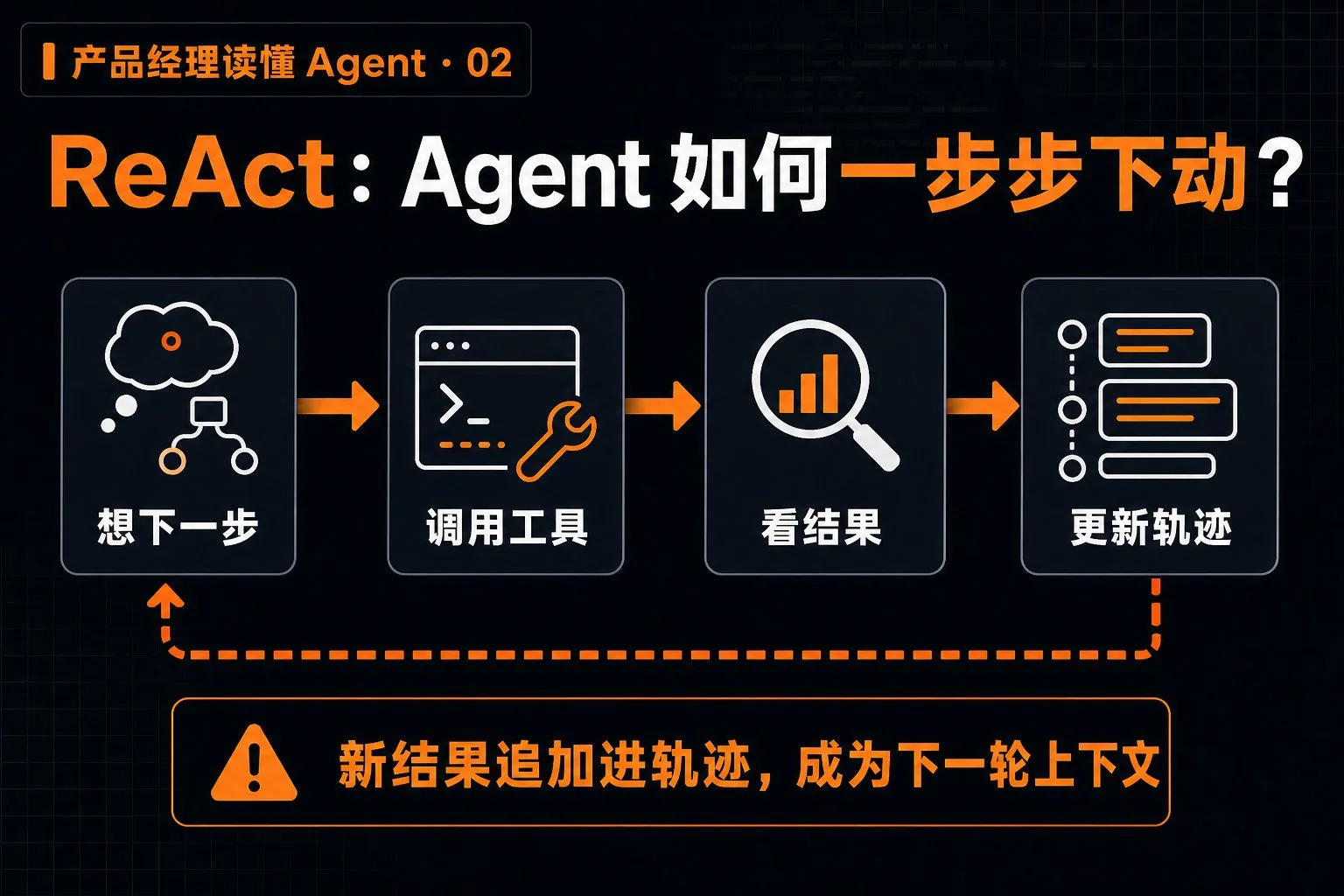
The image shows a dark-background flow diagram with four Chinese-labeled step boxes linked by arrows, a dashed loop returning to the start, and a warning note that new results are appended to the trajectory. It suits explaining agent loops or tool-use workflows to a non-technical audience.
Prompt breakdown
Made by AI · Click a part to highlight it in the promptTap a part to highlight it in the prompt
Made by AI · Click a part to highlight it in the promptTap a part to highlight it in the prompt
How to use this prompt
Three steps from this page to your own image.
- 01
Copy the prompt
Copy the text as it is, every detail and any text on the image included.
- 02
Match the settings
Open GPT Image 2 on a platform that offers it and use the same settings: text to image, 1536 × 1024, 3:2.