Skip to content
prompset

Unicorn pajamas multi-view reference sheet
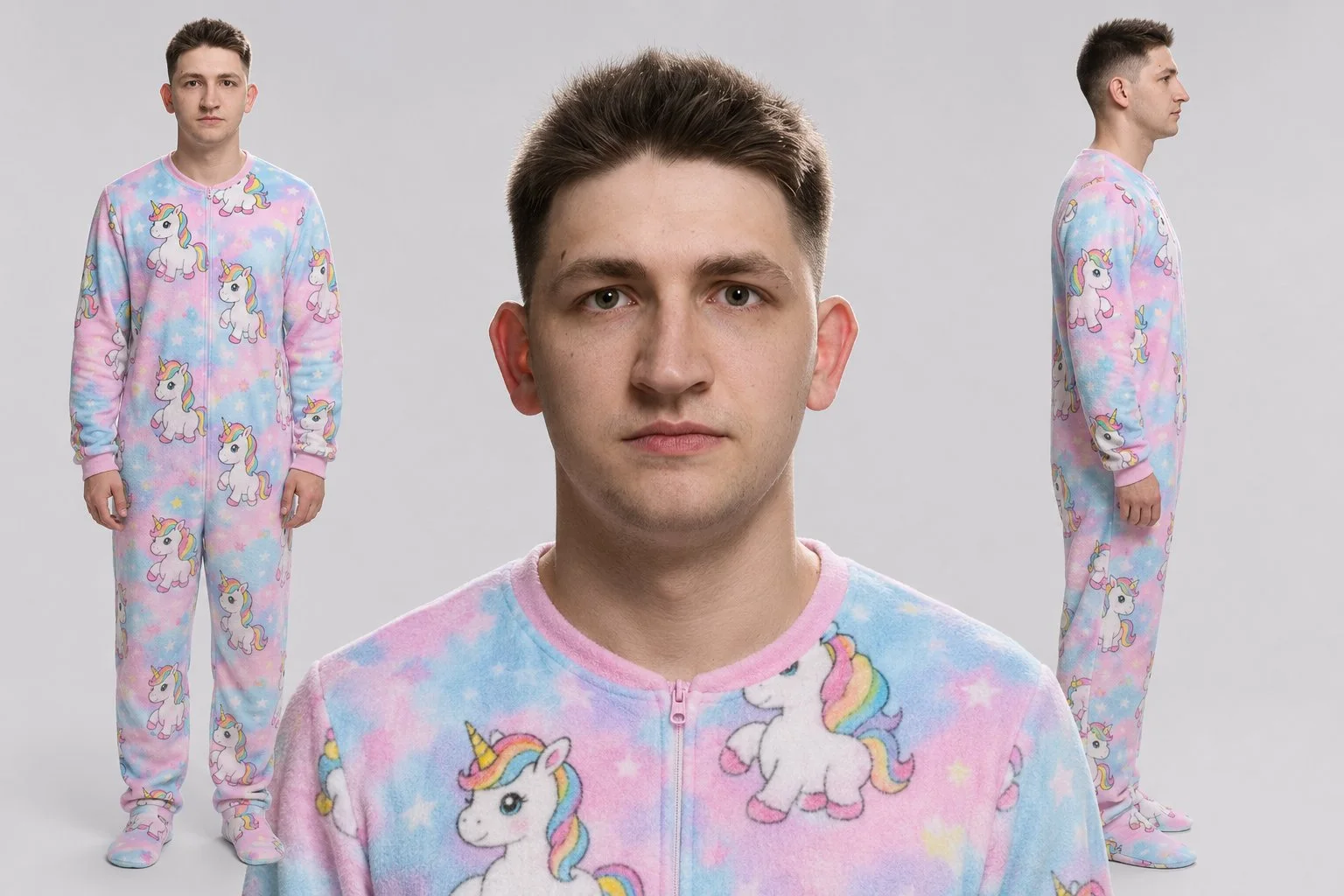
Unicorn pajamas multi-view reference sheet
0
views
0
copies
Download
JPG · 1536 × 1024
Likes
0
Views
0
Copies
0
Saved
0
Download
JPG · 1536 × 1024

Prompt

Model
GPT Image 2
Mode
Image edit
Inputs
1 image
Resolution
1536 × 1024
Aspect
3:2

Using the uploaded photo as the strict identity reference, create ONE single seamless vertical image on a pure white studio background showing the SAME person from the photo three times, standing side by side in one shared space, like a character reference sheet. ABSOLUTE RULE — DO NOT CHANGE THE FACE: the face must remain 100% identical to the uploaded photo — same face shape, nose, eyes, eyebrows, lips, chin, skin, hairstyle, stubble. No beautification, no smoothing, no reshaping. Clothing in all views: soft cozy pajamas with a cute unicorn pattern — light pastel fabric (pale pink or mint) covered in small cartoon unicorns and tiny rainbows, long-sleeve pajama top and matching pajama pants. The SAME identical pajamas on every figure. Left: the person FULL BODY, standing straight, facing the camera directly, arms relaxed at the sides, head to feet fully visible. Center: the person FULL BODY, standing, side view — body turned 90 degrees, natural relaxed posture, head to feet fully visible. Right: a large CLOSE-UP of the person's face, front view, from the top of the head to the shoulders, sharp focus on the eyes. All three figures share the same white background and the same even soft studio lighting, consistent body proportions and height, no harsh shadows, photorealistic, sharp focus. No text, no labels, no frames, no dividing lines, no collage borders — one continuous image.

About this prompt

The image shows one man in pastel unicorn-print pajamas in three views on a grey background: two full-body standing poses and a face close-up. It suits a pajama product reference or a multi-view outfit sheet.

Prompt breakdown

AI breakdownClick a part to highlight it in the prompt

Click a part to highlight it in the prompt

How to use this prompt

Three steps from this page to your own image.

  1. 01

    Copy the prompt

    Copy the text as it is, every detail and any text on the image included.

  2. 02

    Match the settings

    Open GPT Image 2 on a platform that offers it and use the same settings: image edit, 1 image, 1536 × 1024, 3:2.

  3. 03

    Make it yours

    Change the subject or the style, or let Studio adapt it for you.