Skip to content
prompset

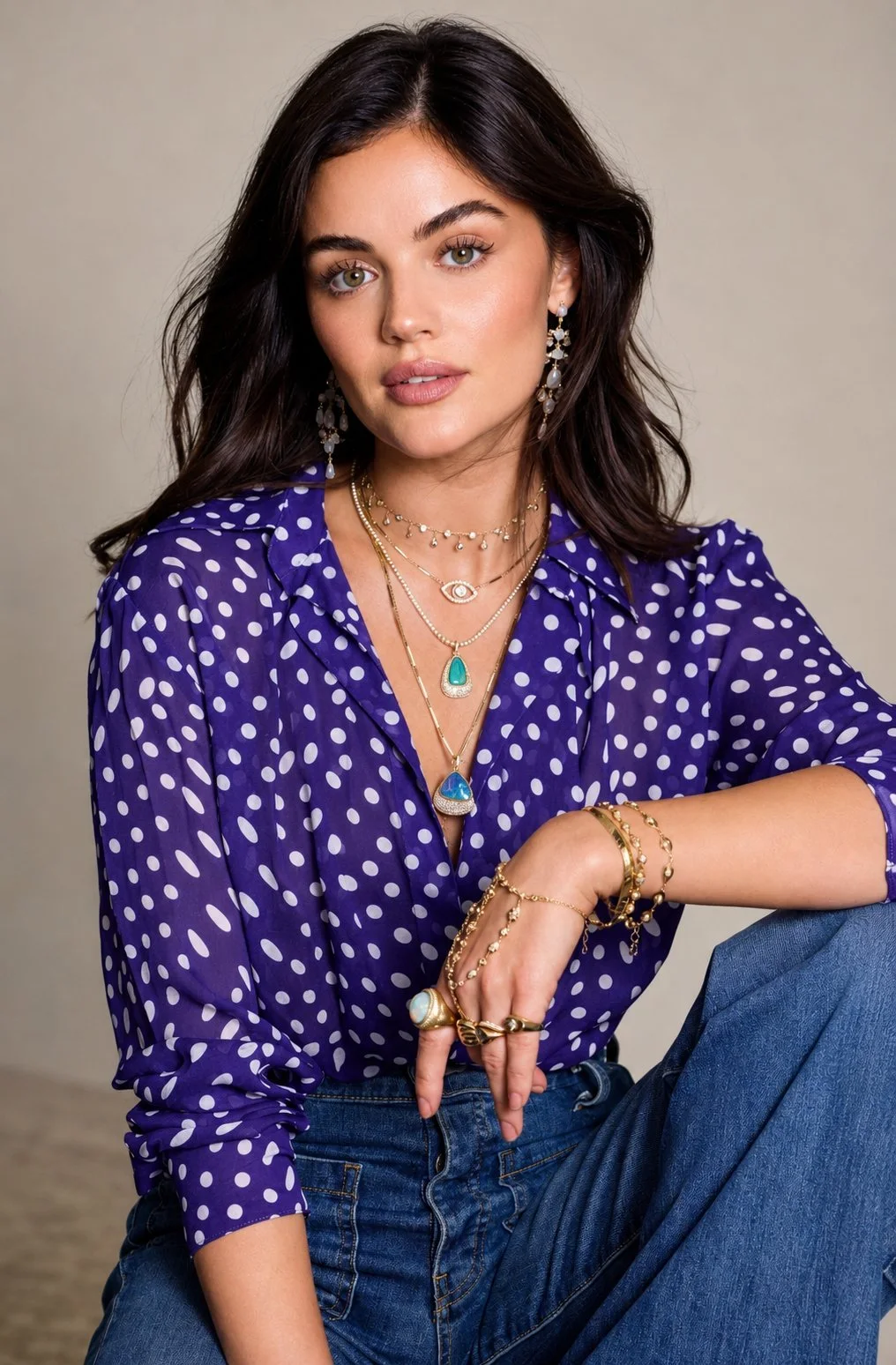
Seated woman in polka-dot blouse and gold jewelry
Seated woman in polka-dot blouse and gold jewelry
0
views
0
copies
Download
JPG · 1016 × 1548
Likes
0
Views
0
Copies
0
Saved
0
Download
JPG · 1016 × 1548

Prompt

Model
GPT Image 2
Mode
Text to image
Resolution
1016 × 1548
Aspect
2:3

Ultra-realistic editorial portrait of a beautiful young woman seated casually in a studio, facing the camera with a confident yet natural expression. She has long, dark wavy hair parted in the center, soft defined eyebrows, striking light hazel-green eyes, subtle eyeliner, natural glowing skin, soft pink lips, and delicate facial features. She is wearing a stylish deep purple blouse with an elegant white polka-dot pattern, slightly open collar, paired with high-waisted blue denim jeans. Multiple layered gold necklaces with turquoise and gemstone pendants, ornate dangling earrings, several gold bracelets, rings, and delicate jewelry add a luxurious bohemian touch. She is sitting in a relaxed pose with one knee raised, one arm resting naturally across her knee, and her hand adorned with rings and bracelets. Neutral beige studio background, soft diffused professional lighting, subtle shadows, warm natural skin tones, sophisticated fashion editorial atmosphere. Detailed fabric texture, realistic hair strands, authentic skin pores, natural makeup, accurate anatomy, realistic jewelry reflections, shallow depth of field, 85mm portrait lens, f/2.0, crisp focus on the eyes, cinematic photography, high dynamic range, photorealistic, ultra-detailed, 8K quality, premium fashion magazine aesthetic, natural and elegant composition.

About this prompt

A seated woman in a purple polka-dot blouse and blue jeans, layered with gold necklaces and bracelets against a beige studio backdrop. Useful as a reference for fashion editorials, lookbooks or jewelry-focused portrait shoots.

Prompt breakdown

AI breakdownClick a part to highlight it in the prompt

Click a part to highlight it in the prompt

How to use this prompt

Three steps from this page to your own image.

  1. 01

    Copy the prompt

    Copy the text as it is, every detail and any text on the image included.

  2. 02

    Match the settings

    Open GPT Image 2 on a platform that offers it and use the same settings: text to image, 1016 × 1548, 2:3.

  3. 03

    Make it yours

    Change the subject or the style, or let Studio adapt it for you.