Skip to content
prompset
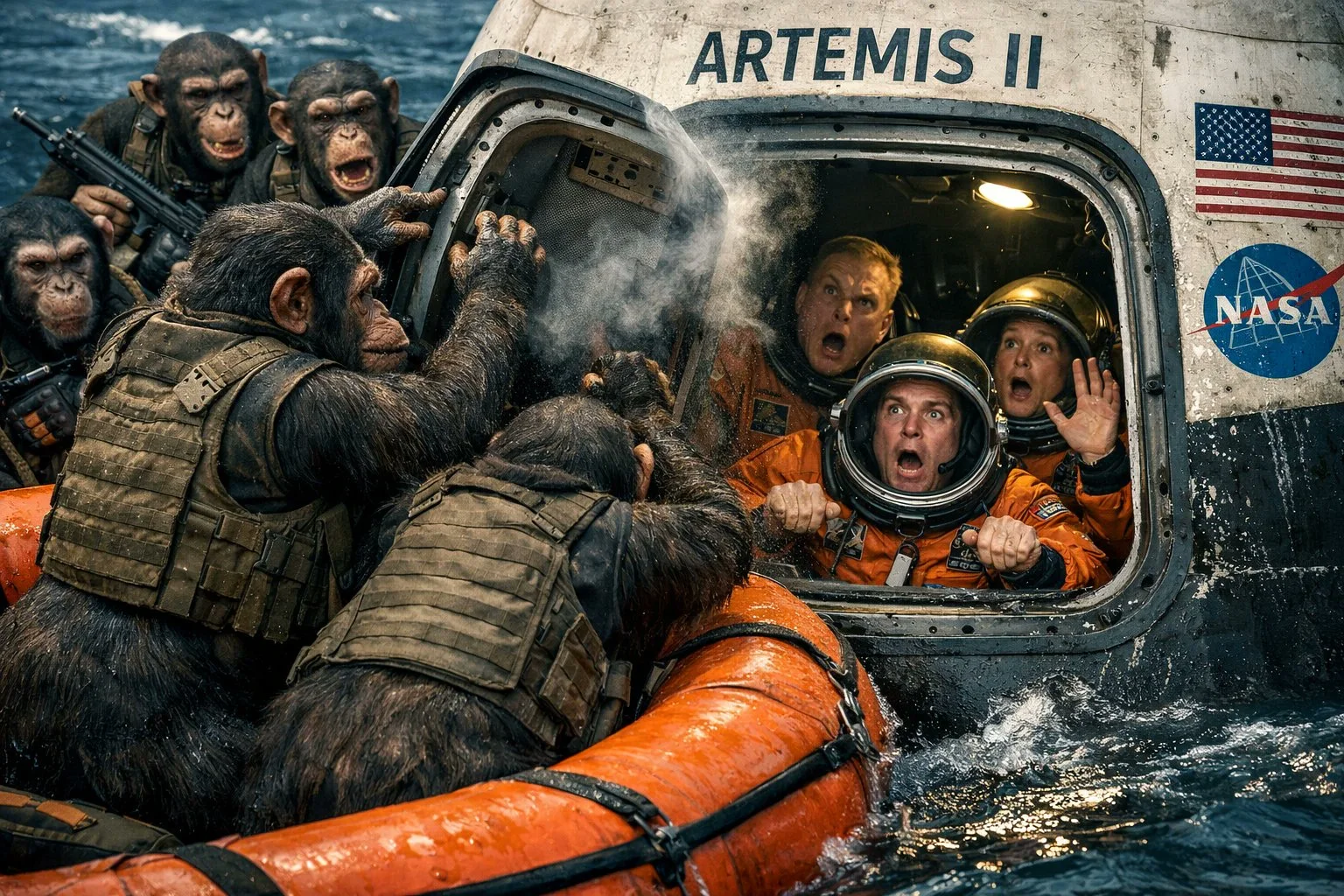
Chimpanzees storm an Artemis II capsule
0
views
0
copies
Download
JPG · 1536 × 1024
Likes
0
Views
0
Copies
0
Saved
0
Download
JPG · 1536 × 1024

Prompt

Model
GPT Image 2
Mode
Text to image
Resolution
1536 × 1024
Aspect
3:2

A tense, dramatic ocean scene inspired by Planet of the Apes. A damaged spacecraft capsule labeled "ARTEMIS II" with a NASA logo and American flag is partially submerged in choppy blue ocean water. An orange military rubber life raft is pulled up flush against the side of the capsule, bumping against the hull, with several chimpanzees in military-style vests and tactical gear standing and kneeling in the raft at close range. The key action is two chimpanzees leaning directly from the raft onto the capsule hull, gripping the heavy hatch door with both hands and wrenching it open, straining with effort as the seal breaks with a burst of mist. The raft rocks in the choppy water inches from the capsule. Through the now-open hatch, the dark interior of the capsule is suddenly flooded with daylight — three human astronauts in orange NASA spacesuits are visible inside, their human faces clearly seen through open visors, frozen in absolute shock and terror at the sight of chimpanzee faces staring in at them. One human astronaut recoils backward, another grips his seat white-knuckled, a third raises her hands in stunned disbelief. The chimpanzees in the raft behind peer over each other with intense, dominant expressions, some holding firearms. The camera is framed tightly just outside the hatch, capturing the raft, the apes, and the horrified human faces inside in one dramatic composition. Natural ocean daylight, choppy water reflections, classic Planet of the Apes cinematic tone.

About this prompt

A dramatic fictional scene in the style of Planet of the Apes, with armed chimpanzees prying open an Artemis II capsule while frightened astronauts look on. Useful for cinematic concept art, movie-style posters or fan fiction visuals.

Prompt breakdown

Made by AI · Click a part to highlight it in the prompt

Made by AI · Click a part to highlight it in the prompt

How to use this prompt

Three steps from this page to your own image.

  1. 01

    Copy the prompt

    Copy the text as it is, every detail and any text on the image included.

  2. 02

    Match the settings

    Open GPT Image 2 on a platform that offers it and use the same settings: text to image, 1536 × 1024, 3:2.

  3. 03

    Make it yours

    Change the subject or the style, or let Studio adapt it for you.