Skip to content
prompset

Watercolour travel collage of a woman in Dubai
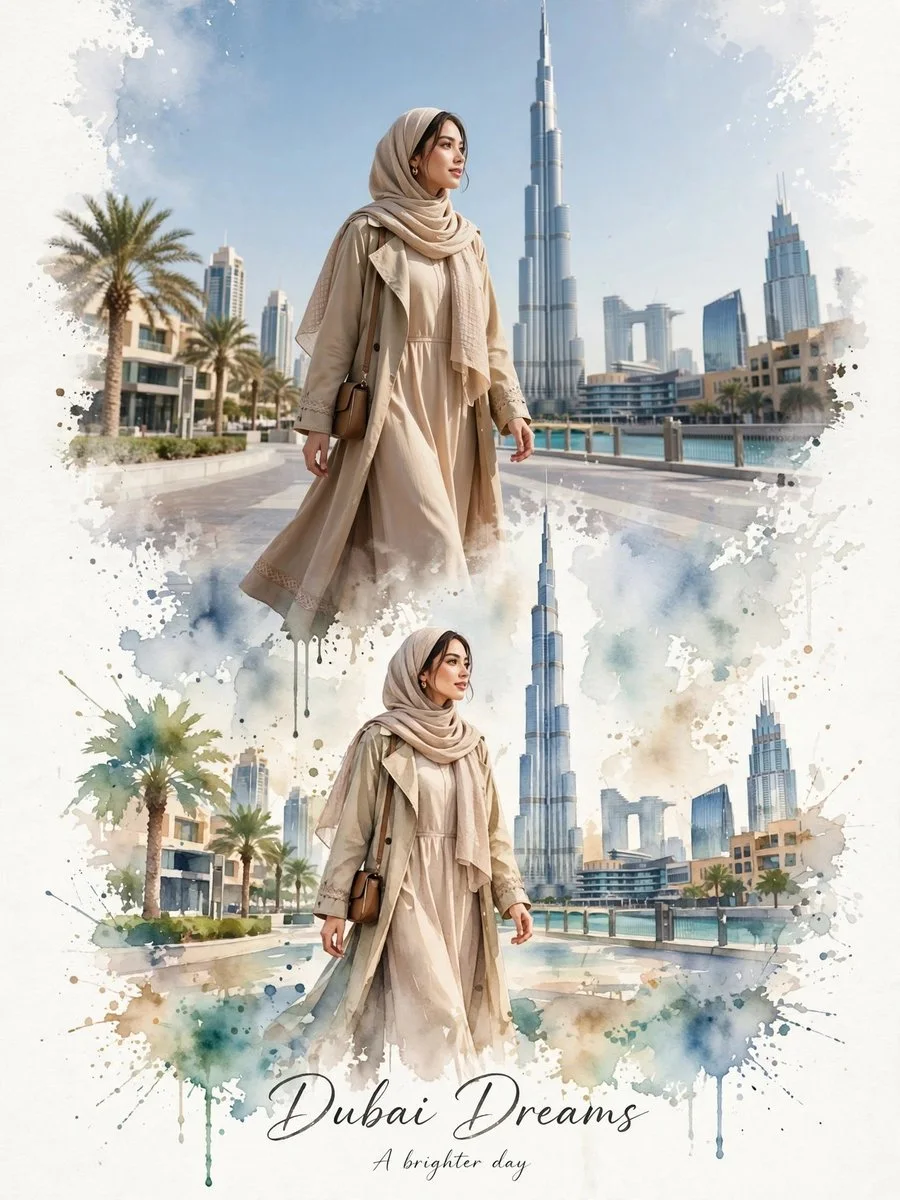
Watercolour travel collage of a woman in Dubai
0
views
0
copies
Download
JPG · 900 × 1200
Likes
0
Views
0
Copies
0
Saved
0
Download
JPG · 900 × 1200

Prompt

Model
GPT Image 2.5
Mode
Image edit
Inputs
1 image
Resolution
900 × 1200
Aspect
3:4

Create a premium vertical 9:16 luxury travel artwork by seamlessly combining all three uploaded reference images into one cohesive visual story. Show the same stylish woman traveling through three iconic destinations: 1. Paris — elegant Parisian streets with the Eiffel Tower, beige sophisticated outfit, black sunglasses and luxury city-walk atmosphere. 2. Dubai — modern waterfront promenade with Burj Khalifa, soft neutral modest outfit with a flowing scarf, warm upscale atmosphere. 3. Sydney — Sydney Opera House beside the waterfront, casual white top, light blue jeans, sneakers and relaxed summer-travel mood. Blend all three destinations together with elegant watercolor splash transitions, soft artistic paint textures, subtle paper details and realistic photographic elements. Keep the woman's appearance, facial identity, proportions and styling natural and consistent throughout the three scenes. Luxury travel editorial aesthetic, cinematic natural lighting, premium composition, soft pastel tones, realistic details mixed with artistic watercolor, clean elegant background, sophisticated lifestyle photography, high-end travel magazine design, ultra-detailed, sharp subject, balanced composition, 8K quality. Add a tasteful handwritten-style title near the bottom: 'WANDER • DREAM • DISCOVER'. Make the final image feel like one beautiful international travel story rather than three unrelated pictures.

About this prompt

A watercolour-style travel collage showing one woman in a beige modest outfit and headscarf, in two stacked Dubai panels with Burj Khalifa and palm trees, under a script title. It suits a travel poster or lifestyle artwork, though the image covers only one of the three destinations the prompt requests.

Prompt breakdown

AI breakdownClick a part to highlight it in the prompt

Click a part to highlight it in the prompt

How to use this prompt

Three steps from this page to your own image.

  1. 01

    Copy the prompt

    Copy the text as it is, every detail and any text on the image included.

  2. 02

    Match the settings

    Open GPT Image 2.5 on a platform that offers it and use the same settings: image edit, 1 image, 900 × 1200, 3:4.

  3. 03

    Make it yours

    Change the subject or the style, or let Studio adapt it for you.