Skip to content
prompset

Green-haired girl with ladybug in orange flower
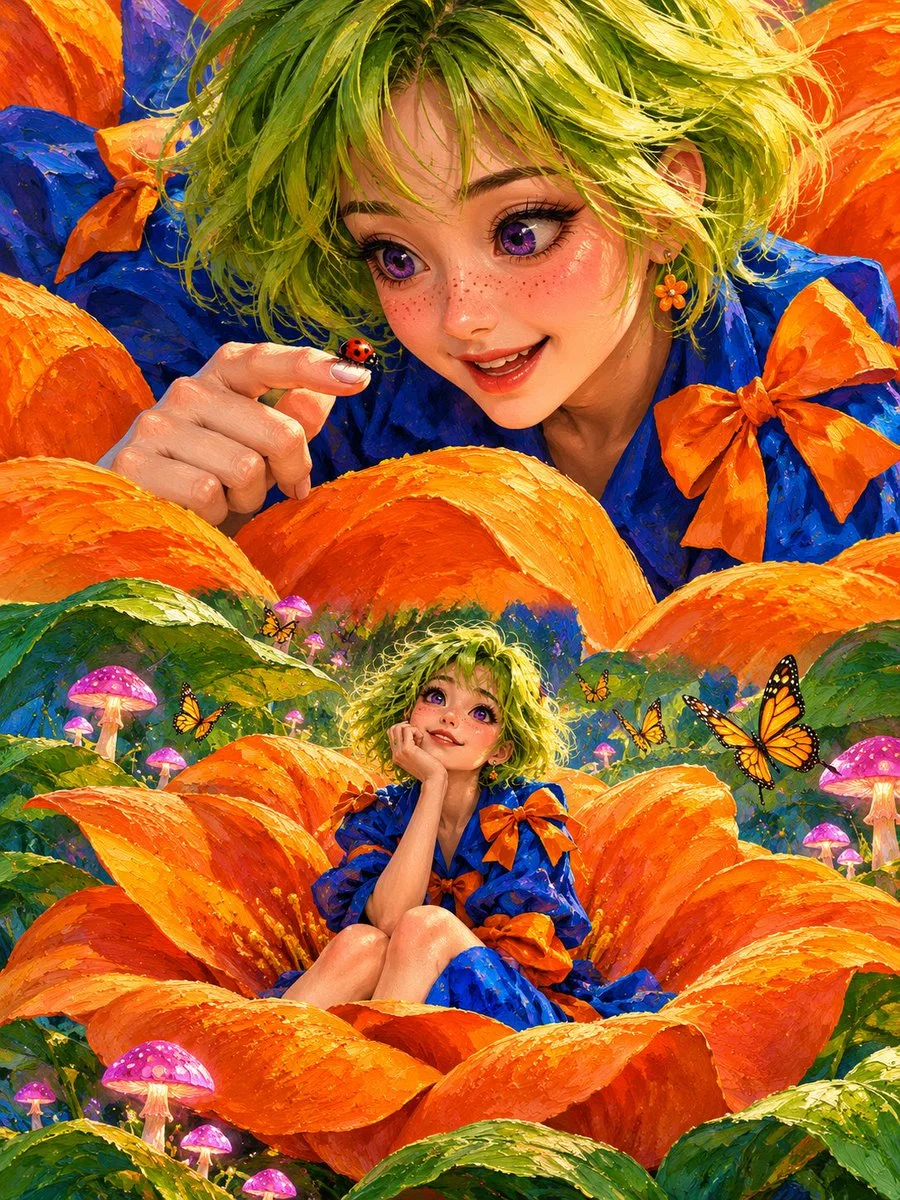
Green-haired girl with ladybug in orange flower
0
views
0
copies
Download
JPG · 900 × 1200
Likes
0
Views
0
Copies
0
Saved
0
Download
JPG · 900 × 1200

Prompt

Model
GPT Image 2.5
Mode
Text to image
Resolution
900 × 1200
Aspect
3:4

{ "aspect_ratio": "3:4", "prompt": "Create a breathtaking Japanese anime-inspired surreal oil painting featuring a playful young adult Japanese woman with short lime-green hair, oversized expressive violet eyes, round rosy cheeks, unusual tiny freckles and a mischievous smile. She is sitting gracefully inside the heart of an impossibly enormous blooming orange flower, surrounded by gigantic overlapping orange petals that frame her face beautifully. She leans forward playfully, holding a tiny ladybug on her fingertip while looking directly at it with curious fascination. Enormous lush green leaves curve around the flower, with miniature glowing pink mushrooms, delicate butterflies and tiny floating pollen particles scattered throughout the magical environment. Use an imaginative slightly elevated three-quarter camera angle, creating beautiful depth and a captivating composition. She wears a vivid cobalt-blue outfit decorated with oversized orange bows that contrast beautifully against the lime-green foliage and orange petals. Vibrant orange, cobalt blue, lime green, violet and pink color palette. Rich traditional oil painting technique, thick expressive textured brush strokes, whimsical surrealism, bold color blocking, intricate painterly details, extraordinary artistic atmosphere, highly imaginative premium editorial illustration. Single continuous composition, one scene, no panels, no borders, no split screen, no text, no watermark." }

About this prompt

An anime-style painted scene of a green-haired girl with a ladybug, set inside a giant orange flower surrounded by mushrooms and butterflies. The prompt suits surreal fantasy illustration and painterly anime artwork.

Prompt breakdown

Made by AI · Click a part to highlight it in the prompt

Made by AI · Click a part to highlight it in the prompt

How to use this prompt

Three steps from this page to your own image.

  1. 01

    Copy the prompt

    Copy the text as it is, every detail and any text on the image included.

  2. 02

    Match the settings

    Open GPT Image 2.5 on a platform that offers it and use the same settings: text to image, 900 × 1200, 3:4.

  3. 03

    Make it yours

    Change the subject or the style, or let Studio adapt it for you.